

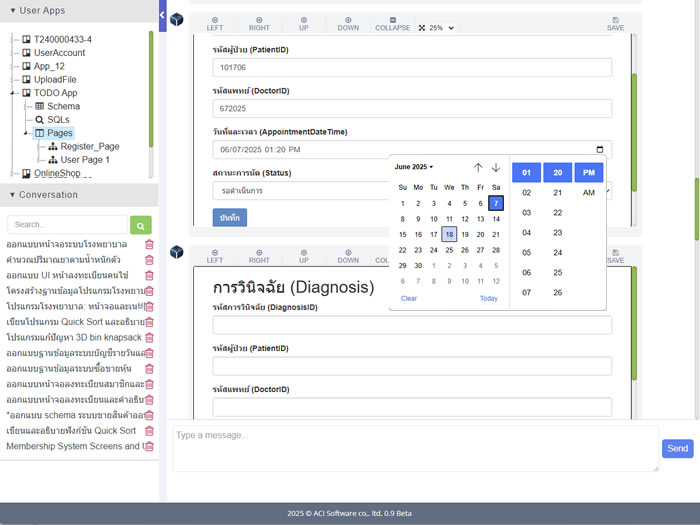
Kyube brings significant advancements to user interface (UI) design by enabling users to create screens through simple verbal descriptions. After the list of screens has been identified during the software requirements phase, users can describe the desired fields or components for each screen, and the Kyube will automatically generate a corresponding UI layout. The generated screen is well-organized and formatted to align with standard design practices, allowing users to visualize their application interface without the need for technical design knowledge.
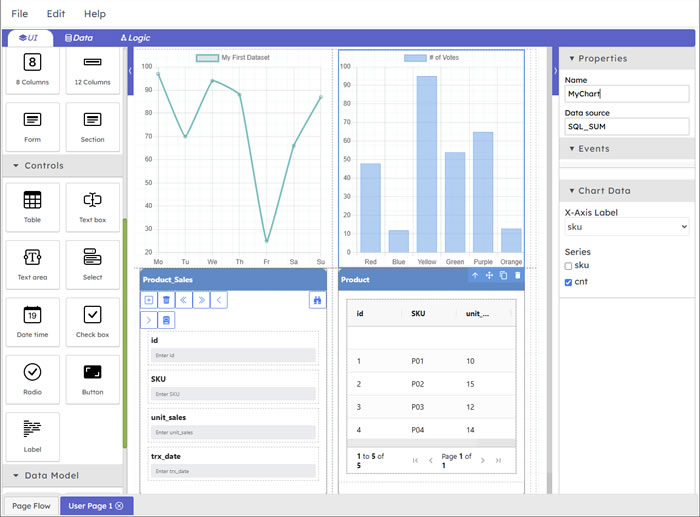
Once the initial UI is generated, users can save and refine it using the "UI Editor," an interactive tool designed for manual customization. The UI Editor allows users to add, modify, or remove interface components directly on the screen. It features a control palette that offers a variety of pre-built components, which users can simply drag and drop to construct or enhance screens. This drag-and-drop functionality makes the design process significantly faster and more accessible, eliminating the need for any coding effort.
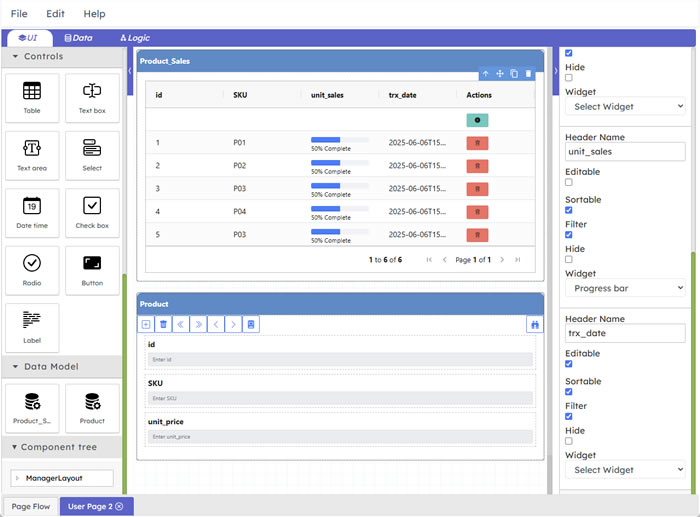
In addition to general screen creation, the platform supports the generation of data-driven UI components directly from domain models. Users can choose to render these components in either a form-oriented or grid-oriented layout, depending on the use case. This capability ensures seamless integration between the user interface and the underlying data structures, enabling rapid development of database-connected screens while maintaining a clean and consistent design throughout the application.

Kyube AI
The new AI-driven solution for corporate software development delivers faster delivery, better code quality, and lower costs. It streamlines complex tasks with intelligent assistance, helping teams build smarter and ship sooner.